
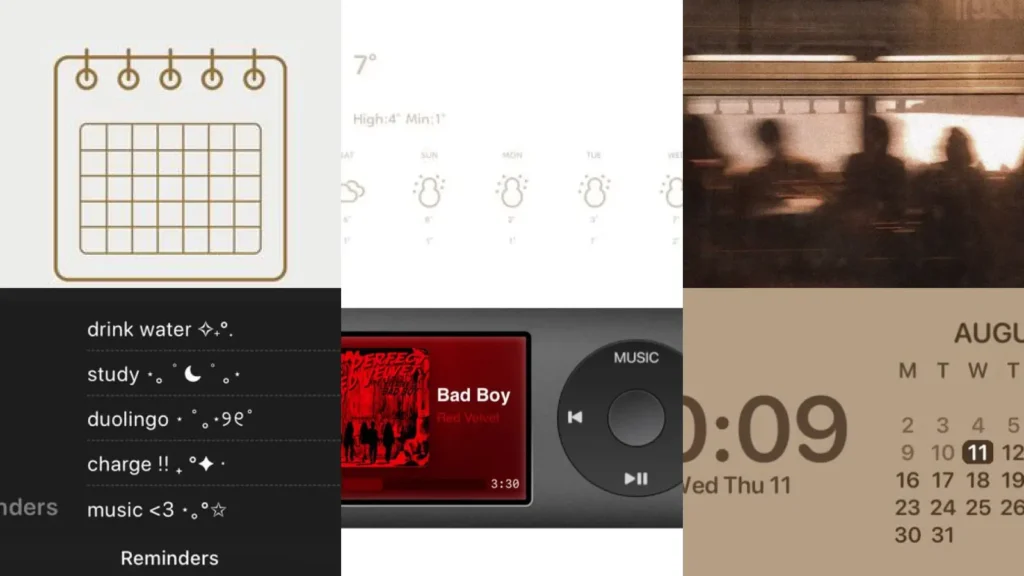

This list is for anyone starting from scratch. Renters redecorating their phone instead of their apartment, beginners who just discovered widgets exist, busy people who want a cute setup without spending all afternoon on it.
If any of that sounds like you, keep scrolling!
Widget ideas aesthetic pins are everywhere right now, but not all of them are actually doable. Some need five apps you’ve never heard of.
Others look so pretty in the preview and messy the second you try them at home.
So this roundup skips those. Every idea here got picked because it’s simple to set up, works on most phones and still looks like something off a design blog.
The list is organized by mood. Boho and vintage looks come first, then moody dark setups, then bright pastel ones, then the practical things like homescreens and folder names.
Under each idea you’ll find the little details that actually matter, like which app to use or what to avoid. There’s also a link so you can grab the full step-by-step whenever you’re ready.
No fancy design degree required here. If you can drag an icon around, you can absolutely pull off every single one of these!
WIDGET IDEAS AESTHETIC
Boho Calendar Widget Layout

Boho calendar widgets lean on warm terracotta tones and rounded fonts. Think dried flowers, little arches and soft cream backgrounds behind the date.
This layout works best when the rest of your homescreen stays simple. Too many busy widgets next to it and the boho vibe gets lost fast.
- Terracotta and proud
- Cream background keeps it calm
- Pairs well with a plant icon pack
Pastel Weather Widget Design

How dreamy is a pastel weather widget sitting right at the top of your screen? Soft lilac clouds and a tiny sun icon make checking the forecast feel like a treat instead of a chore.
Read also: 20+ Genius Iphone Homescreen Layout Ideas Aesthetic Worth St
Most weather widget apps let you swap the color palette in seconds. Pick one shade and stick with it across your whole screen for a put-together look.
Read also: 16+ Stunning Seasonal Wallpaper Ideas Phone Hacks
- Sky check, but make it cute
- Lilac and blush pairs beautifully
- Updates in real time
Vintage Photo Widget Collage

This one turns your camera roll into decor. A grid of soft, slightly faded photos sits right on the homescreen like a little scrapbook.
Pick pictures with similar lighting so the collage feels intentional. My favorite version uses old film-style shots, the kind with a bit of grain and warm color.
It’s a sweet way to keep favorite memories somewhere you’ll actually see them every day.
- Your camera roll, framed
- Film filter adds instant charm
- Swap photos monthly
Dark Mode Notes Widget

Dark mode notes widgets are perfect for anyone who lives by their to-do list. Black or charcoal backgrounds with white text look sharp and are easy on the eyes at night.
This layout hides clutter really well too. A messy list somehow looks more organized in dark mode, lol!
- Night owl approved
- Easy on tired eyes
- Fits any minimal setup
Retro Music Player Widget

Retro music player widgets bring back that old iPod look, complete with a little scrolling wheel graphic and warm orange or brown tones.
Read also: 15+ Music Story Ideas Instagram Creators Are Obsessed With
They work with basically any streaming app. Some people even fake the whole thing just for looks, which honestly makes total sense to me!
- Old iPod, new phone
- Retro font ties it together
- Works with most music apps
Neutral Tone Calendar Widget

Neutral calendar widgets go with literally everything. Beige, taupe and soft gray keep the whole screen looking calm instead of loud.
This is the setup to try if you keep switching wallpapers and don’t want to redo your widgets every single time. Neutral tones just handle change better.
- Goes with every wallpaper
- Beige and taupe stay timeless
- Low effort to maintain
Soft Sunset Lockscreen Design

Among lockscreen ideas aesthetic pins, the soft sunset one gets saved the most. Honestly, I get it.
Warm orange fading into pink makes the clock look like it’s glowing.
Pick a sunset photo with a plain sky and skip anything too busy behind the time display. Simple backgrounds let the clock actually stay readable.
- Golden hour, all day
- Plain sky keeps text readable
- Pairs with warm app icons
Dreamy Cloud Lockscreen Idea
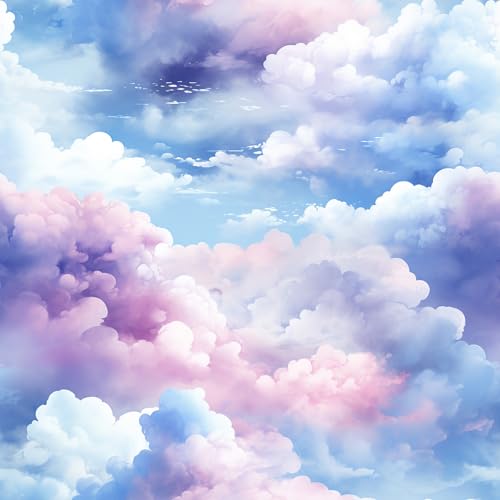
Dreamy cloud lockscreens feel soft and a little whimsical. Fluffy white clouds against a pale blue or lavender sky make even a boring Monday morning feel calmer.
This idea also hides notification clutter surprisingly well. Something about the fluffy texture makes little icons blend right in instead of standing out.
It’s a small change that somehow makes checking your phone less stressful.
- Head in the clouds
- Lavender sky feels extra soft
- Notifications blend in nicely
Cottagecore Floral Phone Wallpaper

Cottagecore floral wallpapers are basically a tiny garden living in your pocket. Wildflowers, soft greens and a slightly painted texture give the whole phone a cozy farmhouse feel.
If you were hunting for wallpaper ideas for phone, this one is a keeper!
This look pairs perfectly with cream colored icons and rounded fonts. Skip anything too neon or the whole vibe falls apart fast.
Read also: 11+ Stunning Playlist Cover Photo Ideas That Go Viral
- Tiny garden in your pocket
- Cream icons match perfectly
- Works on lock and home screen
Vintage Beige Texture Wallpaper

Vintage beige texture wallpapers keep things quiet on purpose. Think old paper, faded linen or a soft grain finish, nothing shiny or bright.
This is a great pick if your homescreen already has a lot going on. A calm background lets busy widgets breathe instead of competing for attention.
- Quiet on purpose
- Linen texture feels expensive
- Balances a busy homescreen
Clean Android Homescreen Layout

Clean layouts are a favorite among homescreen ideas android aesthetic searches. It makes sense why.
Fewer icons, more white space, one font throughout.
This setup works especially well for Android since most launchers let you hide the app drawer completely. Suddenly your screen looks like a magazine spread instead of a phone.
Read also: 13+ Hidden Podcasts App Features That Change Everything
- Fewer icons, more calm
- One font ties everything together
- Works great with a launcher app
Earthy Tone Android Homescreen

Earthy tone homescreens lean on olive, rust and warm brown. It’s the phone version of a cozy autumn sweater, honestly.
Custom icon packs in these tones are easy to find on most launcher apps. Set them once and forget about it for months.
- Autumn sweater energy
- Olive and rust feel cozy
- Set once, forget it
Aesthetic Icon Pack Homescreen

An aesthetic icon pack changes everything about a homescreen in minutes. Same apps, completely different mood, no actual work involved.
Look for packs with a matching wallpaper included. It saves so much guesswork and the colors always line up perfectly.
- Same apps, new mood
- Matching wallpaper included saves time
- No design skills needed
Cute App Folder Names

Cute app folder names turn a boring grid into something with a little personality. Names like Daily Faves or Little Extras beat a plain folder labeled Miscellaneous any day.
Keep folder names short so they don’t get cut off under the icon. Two or three words is usually the sweet spot.
- Miscellaneous is retired
- Short names stay readable
- Personality without extra apps
Aesthetic Folder Naming Inspiration

Last but definitely not least, app folder name ideas aesthetic pins deserve their own dedicated shelf of inspiration. Think themed sets like Cozy Corner, Brain Food or Just In Case.
If you were hunting for phone theme ideas aesthetic, this one is a keeper!
This is a fun one to personalize since folder names can match your whole phone theme. A soft, cohesive theme somehow makes even scrolling through apps feel calmer.
Read also: 18+ Stunning Notes App Aesthetic Ideas That Go Viral
Pick names that make you smile when you open your phone. That’s really the whole point, lol!
- Theme it all the way
- Names match the phone theme
- Fun to swap seasonally
Just a little note - some of the links on here may be affiliate links, which means I might earn a small commission if you decide to shop through them (at no extra cost to you!). I only post content which I'm truly enthusiastic about and would suggest to others.
And as you know, I seriously love seeing your takes on the looks and ideas on here - that means the world to me! If you recreate something, please share it here in the comments or feel free to send me a pic. I'm always excited to meet y'all! ✨🤍
Xoxo Isabella